







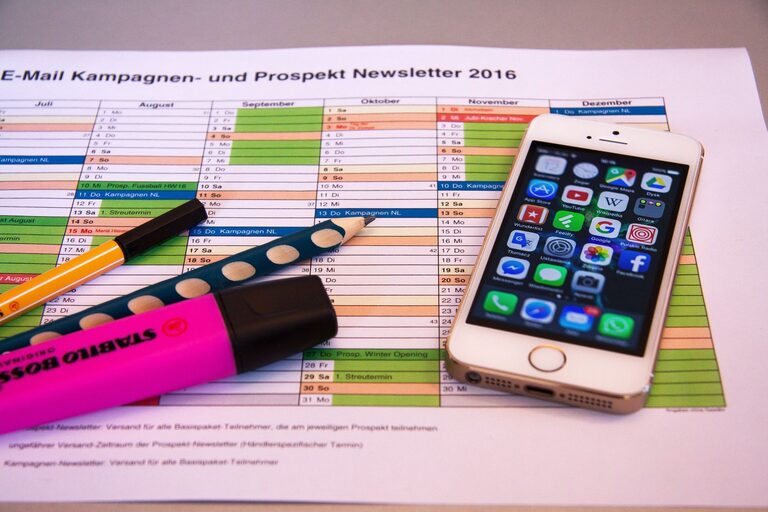
In today’s fast-paced world, it’s easy for our digital lives to become overwhelming. From overflowing email inboxes to cluttered desktops and endless app notifications, digital clutter can cause stress and reduce productivity. Fortunately, with a few simple strategies, you can declutter your digital life and enjoy more focus, calm, and control.
Why Decluttering Your Digital Life Matters
Just like physical clutter, digital clutter consumes mental space and energy. When your devices and accounts are disorganized, it’s harder to find what you need, distractions multiply, and you may experience digital fatigue. Taking time to tidy up not only helps you work more efficiently but also supports better mental well-being.
Step 1: Start with Your Email Inbox
Your email inbox is often the hub of digital clutter. Here’s how to tackle it:
Unsubscribe and Filter
– Unsubscribe from newsletters or promotions you no longer read.
– Use your email provider’s filtering tools to automatically sort incoming messages into folders.
– Mark important contacts as favorites or add them to a “VIP” list for priority alerts.
Archive and Delete
– Create folders or labels to categorize emails.
– Archive messages you might need later but don’t require immediate attention.
– Delete emails that are old or irrelevant to free up space.
Set a Routine
– Check emails at scheduled times instead of constantly.
– Respond, delegate, or archive each email as you go to avoid buildup.
Step 2: Organize Files and Folders on Your Devices
A cluttered desktop or downloads folder can slow you down. Here’s a plan to organize your files:
Create a Folder System
– Use a logical structure with main folders and subfolders based on projects, topics, or dates.
– Name files clearly with descriptive titles and consistent formats.
Delete Duplicates and Unneeded Files
– Regularly review files and delete duplicates or outdated versions.
– Empty your computer’s recycle bin or trash folder.
Back Up Important Data
– Use cloud storage or external drives to back up files you want to keep safe.
– This also frees up space on your primary device.
Step 3: Manage Your Apps and Browser Extensions
Too many apps and browser add-ons can slow your devices and create distractions.
Evaluate and Remove
– Review all installed apps and browser extensions.
– Remove those you rarely use or don’t need anymore.
Organize Home Screens and Bookmarks
– Group similar apps into folders (e.g., work, entertainment, social).
– Organize bookmarks into folders for easy access and clean your bookmark list regularly.
Step 4: Declutter Social Media and Online Accounts
Social media and online accounts can drain focus if not managed well.
Review Your Accounts
– Unfollow or mute pages and people that don’t add value or cause stress.
– Clean up your friend lists or connections by removing inactive or irrelevant contacts.
Adjust Notifications
– Turn off non-essential alerts to reduce distractions.
– Use “Do Not Disturb” or focus modes during work or rest times.
Consider Account Cleanup
– Delete or deactivate accounts you no longer use.
– Use a password manager to keep login information secure and organized.
Step 5: Streamline Your Digital Communication
Too many messaging apps and platforms can be confusing.
Consolidate Communication Channels
– Choose a few primary apps for personal and professional communication.
– Inform contacts about your preferred platforms.
Organize Conversations
– Archive old chats.
– Use labels or pin important conversations for quick access.
Step 6: Set Boundaries and Maintain Your Digital Space
Decluttering is ongoing. Establish habits to keep your digital life tidy.
Create Daily or Weekly Digital Cleaning Time
– Spend a few minutes each day deleting unnecessary files or emails.
– Set a weekly reminder to review apps and accounts.
Use Tools to Help
– Explore apps designed to reduce distractions or organize digital content.
– Take advantage of built-in features like focus modes or screen time limits.
Benefits of a Decluttered Digital Life
When you regularize these habits and maintain an organized digital environment, you’ll notice:
– Faster access to important information
– Reduced stress and mental clutter
– Increased focus and productivity
– Better device performance and longer battery life
Final Thoughts
Decluttering your digital life takes some effort, but the rewards are well worth it. Start small by tackling your email or desktop, then gradually move to other areas. Over time, maintaining a clean and organized digital space will help you feel more in control, focused, and relaxed.
Remember, digital decluttering isn’t about perfection—it’s about creating a system that works for you and simplifies your daily interactions with technology. Give it a try today and enjoy the benefits of a calmer digital world.